To automate the encoding settings for your files based on your users' needs, you can create “encoding profiles” that combine specific settings for linear TV, computers, or mobile devices, for example. These profiles can be created in the menu => CATALOG => Encoding Profiles.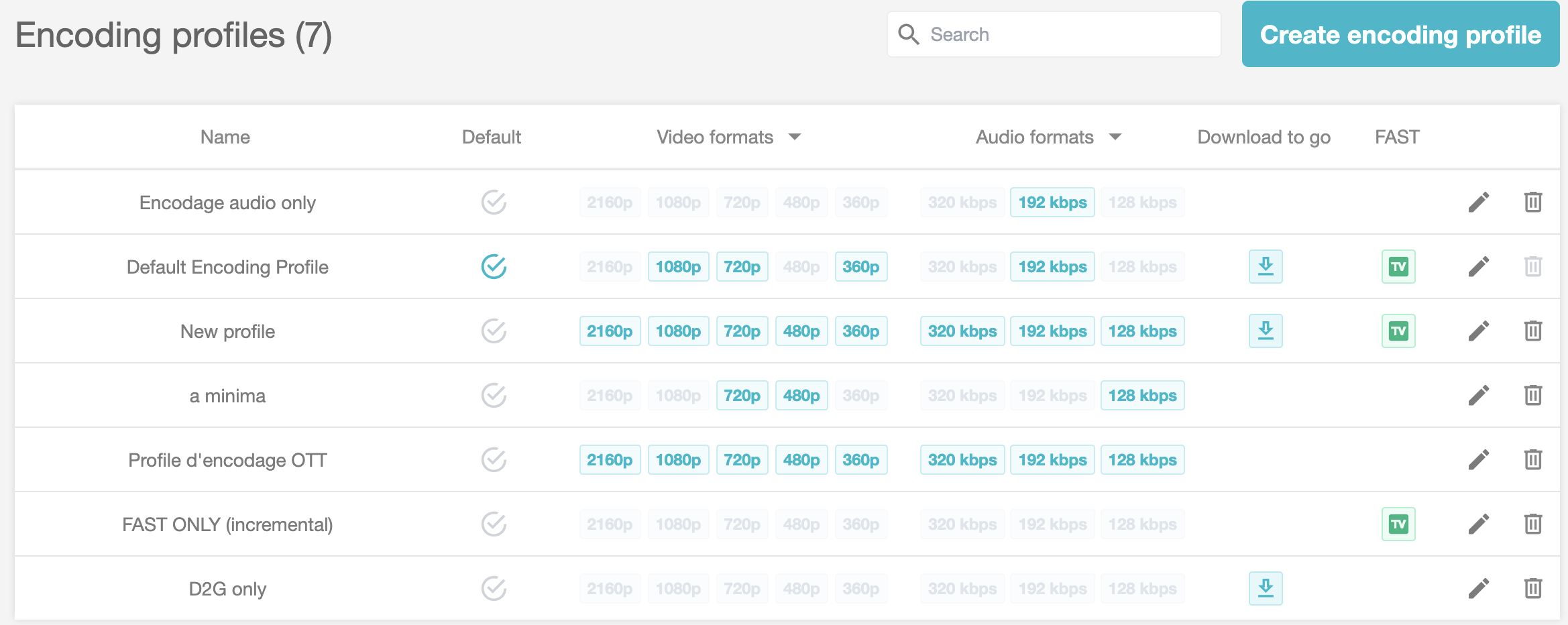
This menu also allows you to view the bandwidth consumption of a 1080p Full HD encoding or a 360p SD encoding. This relationship between format, encoding resolutions, and cost is represented by a coefficient in the cost multiplier console.
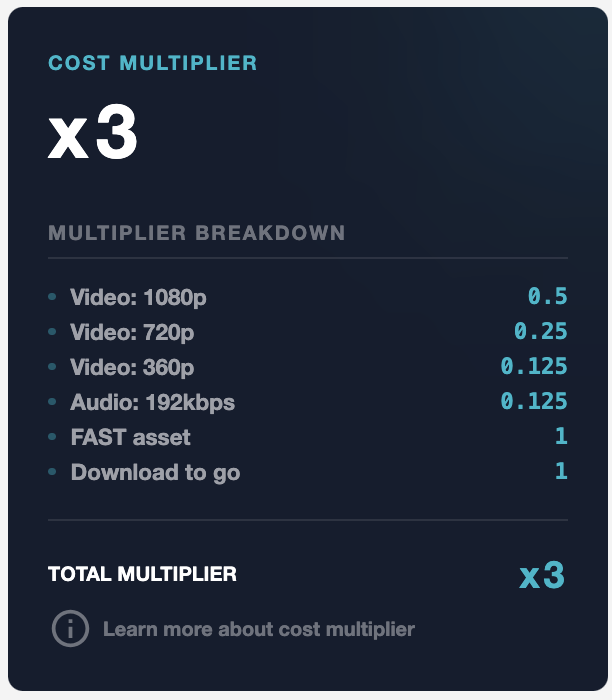
TABLE OF CONTENTS
The Encoding Profiles Dashboard

The dashboard summarizes the following information:
The name of your profile. A clickable area that allows you to edit the profile. If it is active, the following icon appears > 
Setting a default profile. The color of the checkmark changes from gray to blue. When encoding in the CATALOG > Media Encoding menu, this default profile will be prioritized.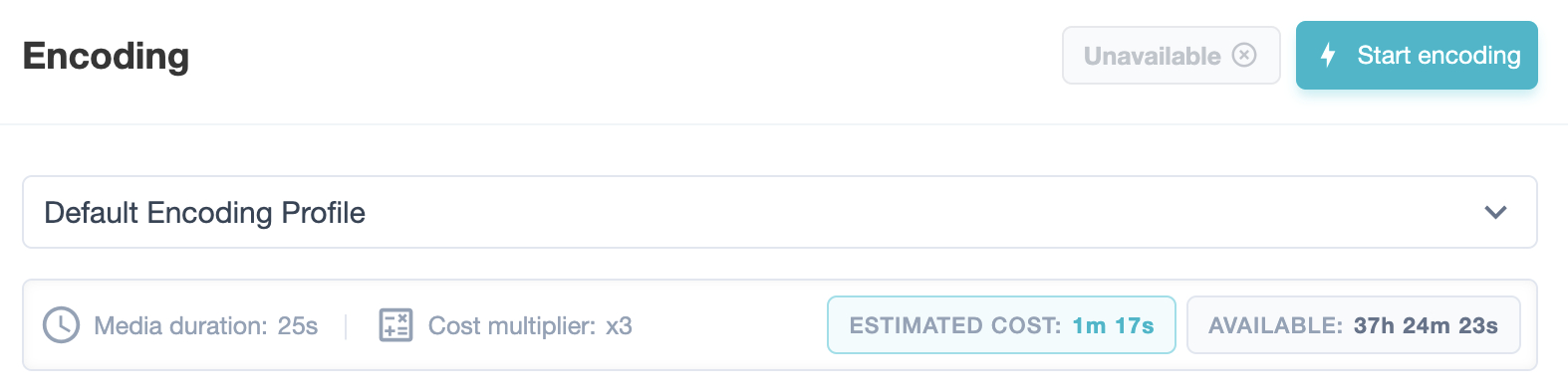
The video formats associated with this profile: Your resolutions in pixels. The table can be sorted by this entry.
The audio formats associated with this profile: Your bitrates in kbps. The table can be sorted by this entry.
Download to go, i.e., offline access to content. If enabled, the following icon appears >
FAST, i.e., linear distribution of your content. If enabled, the following icon appears >
The pencil icon > allows you to edit the profile.
The trash can icon > allows you to delete the profile.
Create an Encoding Profile
To add a new encoding profile, click the > Create Encoding Profile >
We will list the information found on the Encoding Profile page.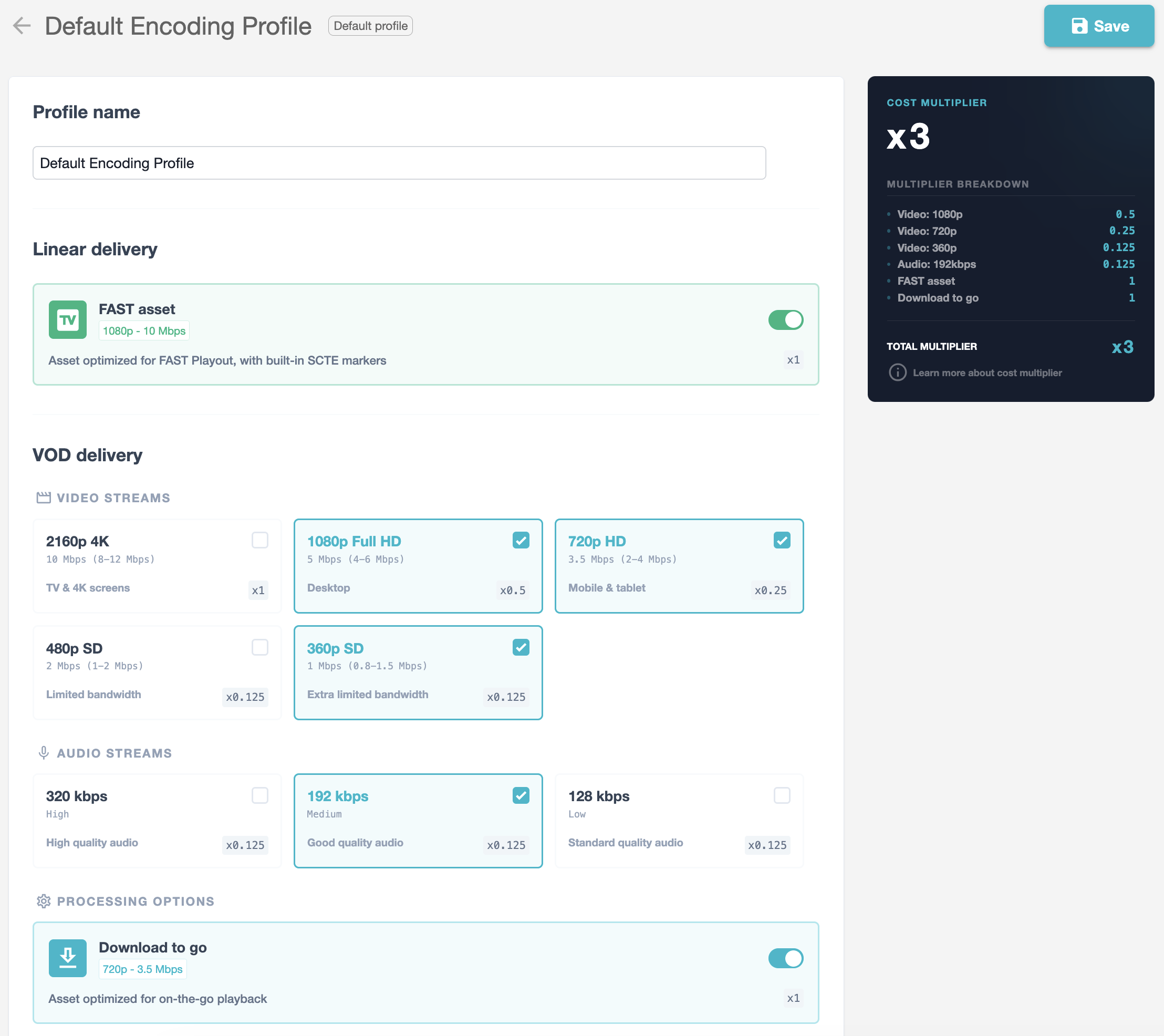
Main Menu
- The profile name appears in the encoding profile summary table, then in the CATALOG > Media
.
- Linear distribution enables FAST. Its cost multiplier is: X1. That is, 1 hour of FAST = 1 hour of billed encoding.
- VOD distribution of video and audio streams allows you to select the desired resolutions and encoding formats for creating your profile.
As a standard practice, we recommend creating 3 video stream resolutions and 1 audio resolution (unless you have multiple multilingual audio tracks).

Each module highlights three pieces of information to guide your choice:
- The format and resolution
- The platform and/or use case
- The cost multiplier. If it is X1, 1 hour of content uploaded = 1 hour of encoding billed. If it is X0.5, 1 hour of content uploaded = 30 minutes of encoding billed.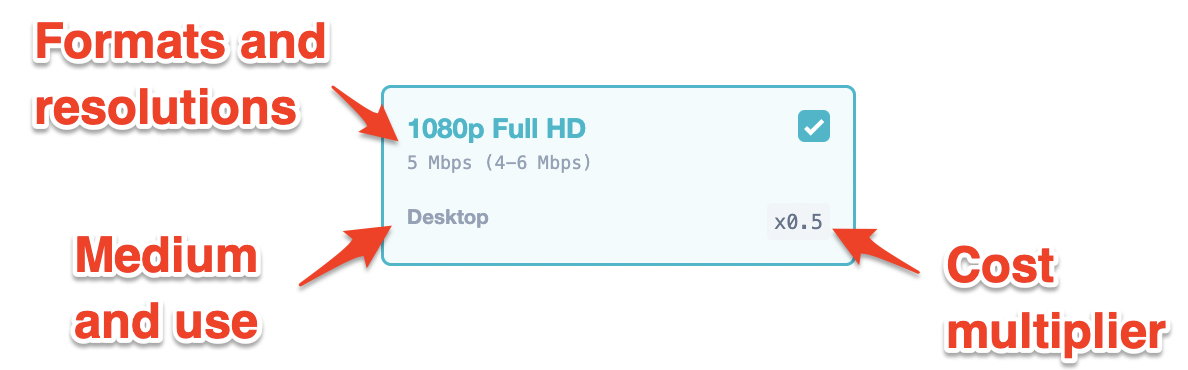
- Offline VOD distribution enables the “Download to go” option in 720p - 3.5 Mbps. Its cost multiplier is: X1. That is, 1 hour of offline content = 1 hour of billed encoding.
Cost Multiplier Menu
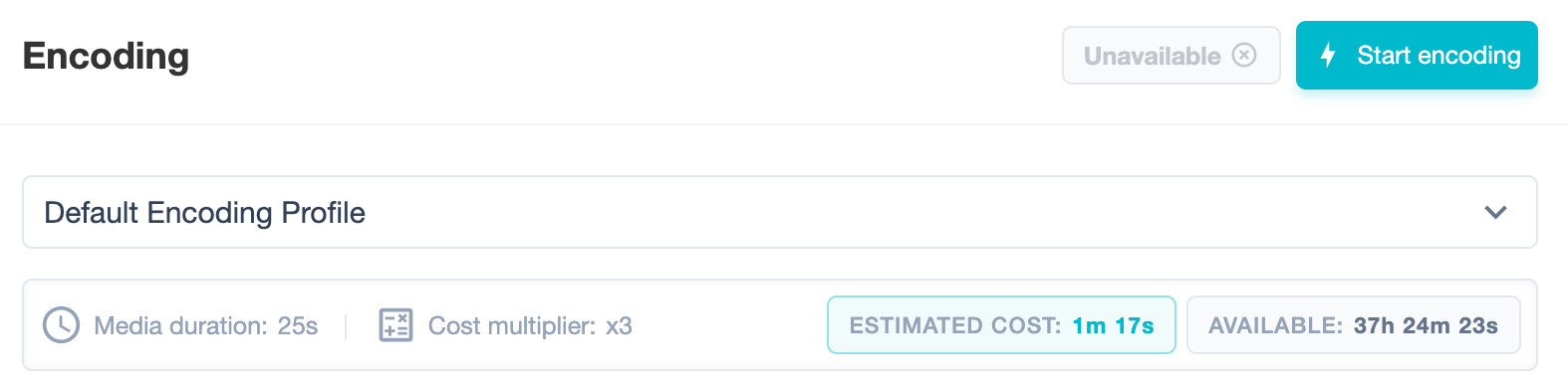
This menu summarizes and adds up the various coefficients applied to your encoding profile. In this example, it is 3, because 0.5 + 0.25 + 0.125 + 0.125 + 1 + 1 = 3. Therefore, this encoding profile uses 3 hours of encoding time for 1 hour of content.
Depending on their type and quality, they may use more or less of your data plan:
Audio 128 kbps = 0.125
Audio 192 kbps = 0.125
Audio 320 kbps = 0.125
Video 360p = 0.125
Video 480p = 0.125
Video 720p = 0.25
Video 1080p = 0.5
Video 2160p = 1
FAST = 1
Download to go = 1